My Daily AI Prompts for Project/Program Management Workflows


In my previous article, My Daily AI Prompts: How I Stay Productive Without Repeating Myself, I shared a variety of prompts I use every day to save time, automate repetitive tasks, and maintain focus. Most of those prompts are generic, meaning they’re not tied to any particular role, so they can be used by almost anyone, including program or project managers.
In this article, I want to continue the series by sharing the prompts I specifically use for program management workflows. These are prompts that help me with responding to RFPs, creating Statements of Work, and more. Essentially, all the repetitive tasks that come up when managing multiple projects and initiatives.
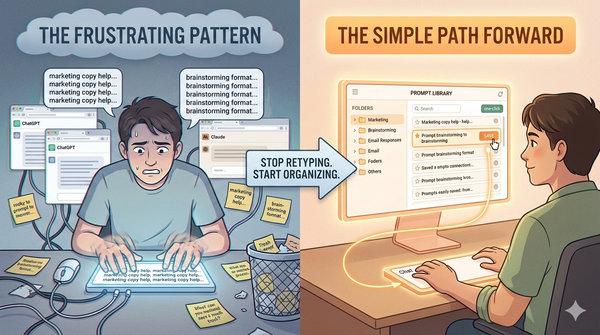
Note: You can use all the prompts in this free Chrome extension StoreMyPrompt without the hassle of keeping them stored in a document. If you haven’t checked out the previous article yet, it’s worth a read as it sets the foundation for understanding how I structure and reuse prompts in my daily work.
Download Chrome Extension:

Why Project/Program Management–Specific Prompts?
Even though generic prompts can help with emails, summaries, and content creation, program management comes with its own set of challenges: multiple projects, interdependencies, stakeholder communication, and governance. To handle these effectively, I’ve created custom prompts that I use every day to keep things structured and consistent.
Below are some of the prompts I rely on in my workflows, the ones that save me from repeating myself while keeping my programs running smoothly.
The Prompts
First, responding to RFPs. The most time-consuming task is responding to government and large-company Requests for Proposals (RFPs). Each RFP comes with its own set of requirements and typically demands extensive documentation to support the proposed project.
From my experience, it’s critical to ensure that the evaluation criteria, especially the mandatory ones, are clearly and explicitly addressed in the submission. This often means carefully paraphrasing the requested items so that reviewers can easily map our responses back to the stated criteria.
To quickly understand the exact details of each RFP, or at least make an informed first pass, I use the prompt below. It takes an RFP URL as input and produces a well-structured summary that highlights deadlines and provides a concise, plain-language brief. This allows me to rapidly assess whether the opportunity falls within our domain and whether it’s worth the effort, since preparing a strong proposal can take several days.
If the RFP link is behind an authentication layer, I typically log in and use tools to generate a PDF of the page, which I then provide to the LLM along with the same prompt. In many cases, a PDF download option is already available, which simplifies this step. The prompt is kind of long, but it works really well for me.
Here is the prompt:
You are an expert RFP analyst. Read the full content from this URL:
[INSERT URL HERE]
and extract all information relevant to preparing a competitive RFP response. Present it in Markdown, under the exact headings below, with bullet points for clarity. If any section is missing from the RFP, write "N/A". Be concise but capture all critical details.
1. Opportunity Overview
- RFP Title / Reference Number
- Issuing Organization
- Background / Problem Statement (context + why the RFP exists)
- Objectives (what they aim to achieve)
2. Funding & Contract Details
- Total Funding / Budget
- Funding Source (federal, state, private, grant, etc.)
- Contract Type (fixed price, T&M, grant, etc.)
- Contract Duration (start, end, renewal options)
3. Eligibility & Mandatory Requirements
- Eligibility Criteria (who can apply)
- Mandatory Technical Requirements
- Mandatory Administrative Requirements (registrations, licenses, certifications)
- Pre-qualification Requirements
4. Submission Requirements
- Submission Method (portal, email, mail)
- Submission Format (PDF, Word, # of copies)
- Required Documents (forms, templates, attachments)
- Page / Word Limits
- Language Requirements
- Special Instructions
5. Deadlines
- Questions Due
- Answers Posted
- Submission Deadline
- Award Notification Date
- Project Start Date
6. Evaluation Criteria
- Technical Evaluation (criteria & weight if given)
- Financial / Cost Evaluation Criteria
- Other Selection Factors (local preference, experience, certifications)
7. Project Scope & Deliverables
- Scope Summary (key activities)
- Deliverables (list each)
- Milestones & Timelines
- Performance Metrics / KPIs
8. Contact & Communication
- Contact Person (name, title, email, phone)
- Communication Rules (e.g., no direct contact, only via procurement)
- Pre-bid Meeting Info (date, time, location, mandatory/optional)
9. Risks / Compliance
- High-Risk Clauses (penalties, liquidated damages)
- Insurance Requirements
- Legal / Regulatory References
- Intellectual Property Clauses
10. Additional Notes
- Links to Related Documents
- Addenda / Amendments
- Strategic Observations / Win Themes (brief AI suggestions)
Extra Output:
After the above, create a Quick Reference Table with:
- Submission Deadline
- Questions Deadline
- Funding Amount
- Contract Duration
- Submission Method
The next few prompts focus on specific sections of Statements of Work (SOWs). Typically, once our delivery team has met with stakeholders and gained a solid understanding of the project, for any high-impact projects, I continue to be a part of the planning phase and join the internal meetings to gather input. During this session, the delivery team usually drafts the In-Scope and Out-of-Scope sections first, which I then help refine, often manually reviewing each point to ensure clarity and completeness.
For me, the scope section is the most important, as all other elements, such as the roadmap, timeline, and resourcing, depend on a clearly defined scope. After finalizing the scope, I rely on the prompt below to create the Assumptions and Risks sections, and the Dependencies section if required, while we continue to draft the remaining sections pseudo-manually.
Here is the prompt:
Act as an experienced Program Manager drafting contractual Statements of Work. Based on the project objectives and project scope below, write a single section titled “Assumptions and Risks” for a Statement of Work.
Guidelines:
- Combine assumptions and risks into one consolidated list
- Limit the section to no more than 6 bullet points total
- Focus only on items that materially impact delivery, timeline, cost, or quality
- Use clear, neutral, contract-appropriate language
- Avoid expanding scope or introducing new deliverables
- Do not include mitigation strategies
Project Objectives:
[Add objectives here]
Project Scope:
[Add scope here]
Example Output:
Assumptions and Risks:
- Assumes timely access to all necessary stakeholder inputs and approvals.
- Assumes required resources and tools are available throughout the project.
- Risk of schedule delays if dependencies on third-party systems are not met.
- Risk of scope creep if additional requirements are requested outside the defined scope.
- Assumes client provides necessary data and documentation on time.
- Risk of budget overruns if unexpected technical challenges arise.
Once the scope, assumptions, and risks are clearly defined, I usually write most other sections myself and have one of the LLMs refine the tone and grammar. Once most of the document is ready, it is time for the Executive Summary. This section distills the entire project into a concise, high-level overview that highlights objectives, expected outcomes, and strategic value. I typically gather input from the delivery team on the key goals and stakeholder priorities, then use the below prompt to generate a polished draft that is clear, structured, and aligned with the rest of the SOW. A well-crafted executive summary not only sets the tone for the document but also provides decision-makers with a quick, accurate understanding of the project’s purpose and impact.
Here is the prompt:
Act as an experienced Program Manager creating professional Statements of Work for client review. Based on the project objectives, project scope, and timeline below, write a concise Executive Summary section suitable for the top of a Statement of Work.
Guidelines:
- Summarize the purpose, objectives, and scope of the project in 4-6 sentences
- Use clear, professional, and client-facing language
- Focus on outcomes, benefits, and value delivered by the project
- Avoid technical details or full deliverable lists
- Keep it concise and easy to read
Project Objectives:
[Add objectives here]
Project Scope and Timeline:
[Add scope here]
Example Output:
Executive Summary:
This project aims to deliver [primary objectives] by executing the defined scope of work. The scope includes [high-level scope summary] and is designed to achieve [key benefits or outcomes]. The engagement ensures that [client or stakeholder value] is realized within the agreed timeline and resources. The project will be managed collaboratively with all stakeholders to maintain alignment, transparency, and successful delivery.
The next step is the monthly project summary for senior leadership. Project managers from different teams submit weekly and monthly updates on their respective projects, and my role is to consolidate these into a single, digestible summary. Each project’s status is posted in Teams using a standardized RGY format, which makes it easy to track progress at a glance. I then use the following prompt to generate a polished summary report, which is uploaded to SharePoint. Finally, a link to the report is shared via email, along with a brief narrative highlighting the overall status and key takeaways.
Here is the prompt:
Act as an experienced Program Manager creating a professional Senior Management Project Health Report based on updates from multiple project managers. Consolidate all project updates into a single, executive-ready report.
Guidelines:
- Create a clear, concise, and decision-oriented report suitable for senior leadership
- Summarize portfolio and project-level health without including unnecessary operational detail
- Highlight key wins, risks, issues, dependencies, and decisions requiring leadership attention
- Use consistent RAG (Red/Yellow/Green) status indicators for each project
- Keep the report professional, client-facing, and easy to scan
Project Updates:
[Paste updates from individual project managers here]
Expected Report Structure:
- Executive Summary: 3–5 bullet points summarizing overall portfolio health, major wins, and key concerns
- Overall Portfolio Health: Single RAG status with one-line justification
- Project Health Overview: Table or bullet list including:
- Project Name
- RAG Status (Red/Yellow/Green)
- One-line health summary
- Link to project (if available)
- Key Risks & Issues: Top 5–7 risks or issues with impact, severity, and mitigation
- Dependencies & Cross-Project Impacts: Shared dependencies, conflicts, or external blockers
- Decisions, Escalations, or Leadership Attention Required: Clear list of actions or decisions needed from senior management
- Upcoming Milestones (Next 2–4 Weeks): High-level delivery-critical dates and decision points
Example Output:
Executive Summary:
- Overall portfolio is performing well, with 3 projects green, 1 yellow, and 1 red.
- Key risks identified around [resource availability / dependency delays].
- Major wins include completion of [critical deliverable] ahead of schedule.
- Leadership attention required for [decision/escalation].

Overall Portfolio Health: Green
Justification: Majority of projects are on track, with minor risks actively mitigated.

Project Health Overview:
- Project A: Green – On schedule, key deliverables on track. [Link]
- Project B: Yellow – Slight delay in testing phase, mitigation in place. [Link]
- Project C: Red – Resource shortage impacting timeline, escalation required. [Link]

Key Risks & Issues:
1. [Risk description] – High impact, mitigation in progress
2. ...

Dependencies & Cross-Project Impacts:
- [Shared dependency] affecting Project B and C

Decisions / Escalations:
- Approve additional resources for Project C
- Confirm timeline adjustment for Project B

Upcoming Milestones:
- Project A – [Milestone] by [Date]
- Project B – [Milestone] by [Date]
And finally, I want to give an honorable mention to one of my most-used prompts. I rely on this one before every client meeting, especially prior to first-time interactions, to ensure I have all the context I need for a productive discussion.
Here is the prompt:
Act as a research analyst providing a comprehensive company background report for senior management or client research purposes. Based on the company name and website provided, gather and present detailed information in the categories below.
Guidelines:
- Provide accurate, up-to-date information with sources cited for financials, news, or other verifiable data
- Keep the report professional, concise, and easy to read
- Use bullet points for clarity and quick scanning
- Focus on high-level insights relevant for strategic or client-facing purposes
Company Information:
COMPANY NAME: [Add company name here]
COMPANY WEBSITE: [Add company website here]
Report Structure:
- Basic Information:
- Headquarters location
- Year founded
- Industry sector
- Key products/services
- Key executives (CEO, CTO, etc.)
- Company Size & Financials:
- Number of employees
- Annual revenue (latest available)
- Funding history (if private/startup)
- Public vs. private status (include stock ticker if public)
- Recent News & Developments (last 6–12 months):
- Major partnerships, acquisitions, or product launches
- Leadership changes
- Regulatory or legal issues (if any)
- News articles or press releases with links
- Clients or Markets Served:
- Industries or sectors they work with
- Geographic markets (North America, Global, etc.)
- Competitive Positioning:
- Main competitors
- Any known differentiators or recent performance insights
Instructions:
- Provide sources or citations for financials, news, or any factual data referenced
- Keep the report concise, structured, and actionable for strategic purposes
Example Output:
Basic Information:
- Headquarters: [City, Country]
- Founded: [Year]
- Industry: [Sector]
- Key Products/Services: [List]
- Key Executives: [CEO, CTO, etc.]

Company Size & Financials:
- Employees: [Number]
- Revenue: [Latest annual revenue] ([Source])
- Funding: [Funding history] ([Source])
- Status: [Public/Private, Stock Ticker if public]

Recent News & Developments:
- Partnerships/Acquisitions/Product Launches: [Details with links]
- Leadership Changes: [Details]
- Regulatory/Legal Issues: [Details]
- News Sources: [Links]

Clients or Markets Served:
- Industries/Sectors: [List]
- Geographic Markets: [Regions]

Competitive Positioning:
- Main Competitors: [List]
- Differentiators/Insights: [Details]

Sources:
- [List of all sources cited]
By leveraging these prompts, I’m able to save a significant amount of time and mental effort. While there’s still plenty of work to do later in refining and finalizing each document, the initial heavy lifting, creating the first draft, is handled efficiently by the LLM. Using the same consistent prompts repeatedly not only streamlines the process but also ensures quality and consistency across outputs. Hopefully, sharing these examples inspires you to adopt similar strategies in your own work, making complex tasks feel a lot more manageable.