My Daily AI Prompts: How I Stay Productive Without Repeating Myself


Some days feel like I’m stuck in a loop—writing emails, summarizing meetings, and repeating the same tasks over and over. Over time, I realized I could make life a lot easier by creating a few go-to prompts that I use every single day.
In this post, I’m sharing the prompts that keep my workflow smooth. I use them all the time, and they save me from thinking twice about formatting emails, summarizing meetings, or learning new stuff.
Psst… stick around until the end for a free tool that helps you save and reuse all these prompts effortlessly!
First up: email formatting. Since most of my day revolves around writing and replying to emails, this is the prompt I end up using multiple times a day:
Please rewrite the email below in a clear, professional, and concise tone. Ensure the message is polite and easy to follow. Maintain the original intent, but improve structure, grammar, and flow. Avoid overly formal language unless necessary.
EMAIL:
Next, meeting summaries. Out of the box, Microsoft Teams only provides meeting transcription, which most companies already have, but it does not generate structured, summarized notes. That’s where this prompt becomes especially useful. If you’re already using external tools, that’s great—but if you want something quick and handy, this prompt works perfectly. I use it all the time, save the summaries, and then my AI agents or other tools can easily act on them. Here’s the prompt:
You are given a meeting transcription. Please create clear and concise meeting notes with the following structure:
- Meeting Details
- Date of meeting
- Attendees (include names and titles if available)
- Summary Notes
- Provide a structured summary of key discussion points.
- Keep the summary objective, clear, and concise.
- Group related topics together.
- Action Items
- List all action items with assignee (if mentioned) and deadlines (if mentioned).
- Use a bullet point format for readability.
Ensure the notes are professional, easy to scan, and suitable for sharing with stakeholders.
MEETING TRANSCRIPT:
Next, research and learning. This prompt makes it easy to understand complex topics quickly and clearly. I use it all the time to break things down, save the explanations, and refer back to them whenever I need.
It works by taking a concept and forcing a clear, structured explanation: first a simple breakdown, then a relatable analogy, and finally the key takeaways. This builds on Feynman’s idea that if you can teach something simply, you really understand it. On top of that, most popular AI chat tools already have your profile, background, and prior knowledge saved, so the explanations can be tailored to your experience. This makes learning not just easier, but also more relevant and actionable. Over time, using this approach turns complex ideas into something you can actually remember, review, and apply. Here’s the prompt:
Explain [insert topic] as if I am a complete beginner. Organize your explanation into three sections:
- Simple Explanation: A step-by-step breakdown in clear, easy-to-understand language.
- Analogy or Example: A real-world analogy or scenario that illustrates the concept.
- Key Takeaways: 3–5 bullet points summarizing the most important things to remember.
Keep the tone friendly and conversational, and avoid jargon.
Next, content writing. Repurposing blogs or news articles for social media can be tricky, especially if you want the posts to feel natural and human instead of salesy. This approach helps you create long-form posts for Instagram, Facebook, and LinkedIn, as well as short-form posts for X, without using emojis, icons, or em dashes. I use it all the time to turn long articles into engaging social media content that stays conversational and relatable.
Convert the following blog or news article into multiple social media posts:
- Long-form: Suitable for Instagram, Facebook, and LinkedIn.
- Short-form: Suitable for X (Twitter).
Guidelines:
- Do not use emojis, icons, or em dashes.
- Keep the tone human and conversational.
- Avoid a salesy or promotional tone.
- Each post should be concise, clear, and engaging.
- Highlight key ideas or quotes naturally from the article.
ARTICLE LINK/CONTENT:
Using these prompts has made my day-to-day workflow a lot smoother. From formatting emails and summarizing meetings to breaking down complex topics and turning long articles into social media posts, having a few go-to prompts saves me a lot of time and mental effort. Over time, I realized it wasn’t just about working faster; it was about staying organized and focusing on the work that actually matters.
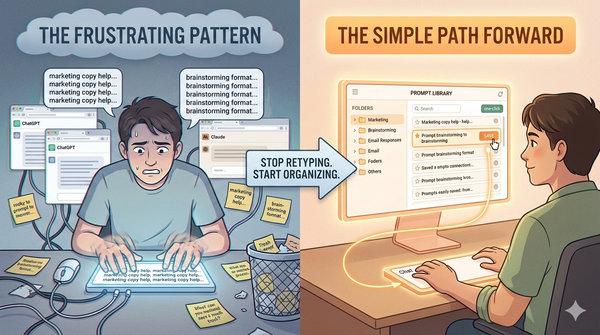
If you like keeping your prompts organized and easily reusable, Store My Prompt is a simple way to save them all in one place. That way, you can quickly pull up the ones you use most, without hunting through old notes or trying to remember exactly how you phrased something. It’s become my little library for productivity, learning, and content creation, and it’s nice knowing that the tools and prompts I rely on every day are always ready when I need them.
Feel free to leave a comment if you’d like me to share some more prompts that I use for a specific niche. I’d be happy to add them in a future post.
Download: