
Stop Retyping the Same Prompts Every Day—There's a Better Way

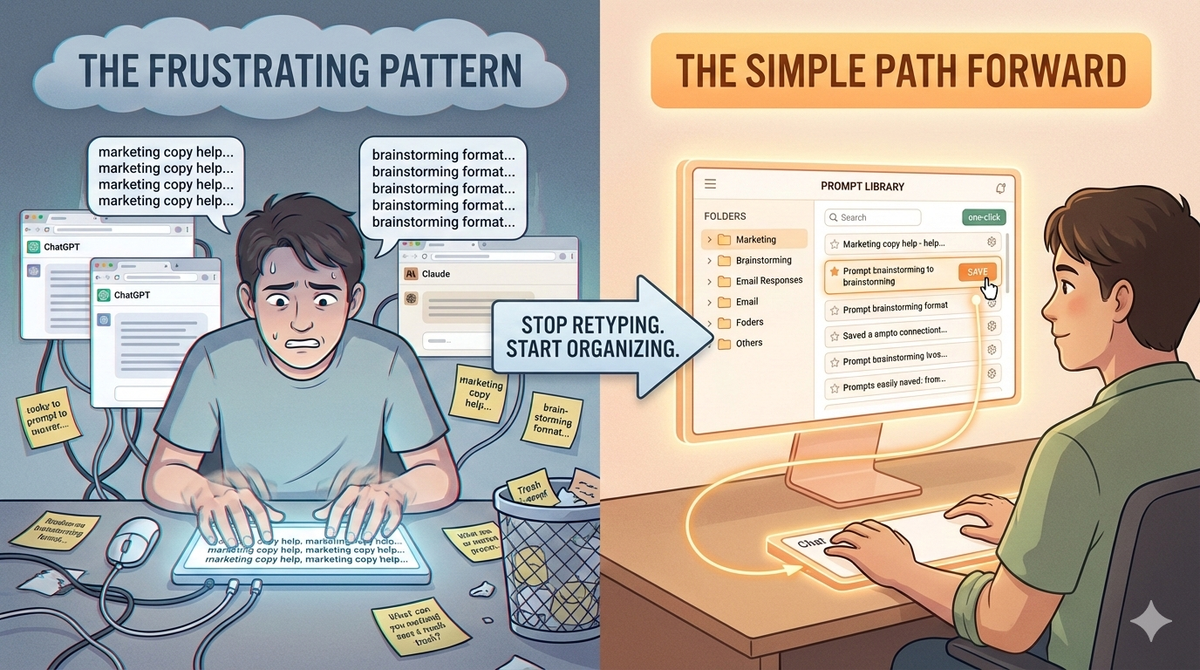
Do you find yourself typing the same request into ChatGPT or Claude multiple times a week? Maybe it's a specific way of asking for help with your marketing copy. Or a particular format you always use for brainstorming ideas. Or that one prompt that always gets you exactly the kind of email response you need.
If you're nodding right now, you're not alone. Thousands of people are spending minutes—or even hours—every single week retyping prompts they've already figured out work well.
The Frustrating Pattern
Here's what usually happens: You discover a prompt that produces great results. Maybe it took you 10 minutes of trial and error to get it just right. You use it, love it, and move on. A few days later, you need something similar again. You try to remember exactly how you worded it. Close enough? You type it in again, but it's not quite the same. The results aren't as good. You tinker until you get it back to working.
This happens over and over. You're essentially doing the same work twice.
Some people try to save their prompts by copying them into a Notes app or a Google Doc. That works for a little while, but then you've got prompts scattered across different files, your email, Slack messages, and random documents. When you need one, you have to dig through everything. And half the time, you can't remember which file it was in.
Maybe you saved it somewhere specific, but now you're sitting at your desk working with Claude, and your prompts are saved in Notion on a completely different tab. It's annoying to switch back and forth. So you just retype it again.
Why This Matters More Than It Seems
You might think, "It's just retyping. It only takes a minute or two." But let's do some quick math. If you're retyping prompts just three times a week, and it takes you 2-3 minutes each time, that's 15-20 minutes a week. Over a year, that's more than 13 hours spent retyping things you've already figured out.
But it's not just the time. It's the friction. Every time you have to retype, there's a tiny moment where you lose focus. You're pulled out of your actual work. You have to think about how the prompt went instead of just using the prompt to do your work.
Plus, there's the quality issue. Most of us aren't perfect typists, especially when we're copying something from memory. You might forget a word or rearrange the structure slightly. That can change how the AI responds. You end up with slightly worse results than you got last time, and you're not even sure why.
The People Who've Figured It Out
Interestingly, the people who seem to get the most value from AI tools aren't necessarily the most tech-savvy. They're the ones who've simply found a system that works. They've discovered three or four really effective prompts for their work, they know exactly where to find them, and they use them consistently.
These people get predictable, high-quality results. They spend less time experimenting and more time actually doing their work. They're not reinventing the wheel every time they sit down.
The difference between them and everyone else? They have their prompts organized in one place, easily accessible, ready to use.
What You Actually Need
You don't need anything complicated. You don't need to be technical. You just need a simple system where you can:
Store your prompts in one place, right where you're already working (not in some separate app you have to navigate to)
Find them quickly when you need them (not dig through scattered notes and old emails)
Use them with a couple clicks (not retype them from memory)
Keep track of what actually works for you (so you stop re-experimenting with things you've already solved)
That's it. That's the whole game. A simple, organized way to capture and reuse the prompts that produce good results.
The Compound Effect
Here's something interesting: once you have your prompts saved and organized, something shifts. You start noticing patterns in what works. You refine the ones that are almost right. You try slight variations on your best prompts and save those too. Over time, your prompt collection becomes increasingly tuned to your specific needs.
People who do this tell us they get noticeably better results from AI over time—not because the AI got smarter, but because they got smarter about how they're asking it questions. And they spend way less time experimenting because they're building on what's already working.
Making It Actually Happen
The frustrating thing is that most people know they should be saving and organizing their prompts. But they don't, because it requires switching between tools or remembering to manually file things away. It adds friction right when you're in the middle of working.
What actually works is a system that fits seamlessly into what you're already doing. Something you don't have to think about. You're using ChatGPT or Claude, you hit a prompt that works, and with one or two clicks you save it. Later, when you need it, you access it right from the same place you're working. No switching tabs. No hunting through files. No retyping.
The Simple Path Forward
If you're spending any real time retyping the same prompts, it's worth thinking about whether a simple system might give you some of that time back. Not as some fancy productivity hack, but just as a basic way to organize something you're already doing.
The people getting the most from AI aren't doing anything revolutionary. They're just being intentional about keeping track of what works, and making it easy to use those things again.
Your prompts are too valuable to keep losing.
The Good News
If this resonates with you, here's the encouraging part: simple tools exist specifically for this problem. The best ones integrate directly into your browser so you're never switching between apps or tabs. Look for something that lets you save and organize your prompts with just one or two clicks, works seamlessly alongside ChatGPT and Claude, and doesn't require you to learn anything new. The right tool should feel invisible; you barely notice it's there until you realize you've stopped retyping and started creating.
Download:


